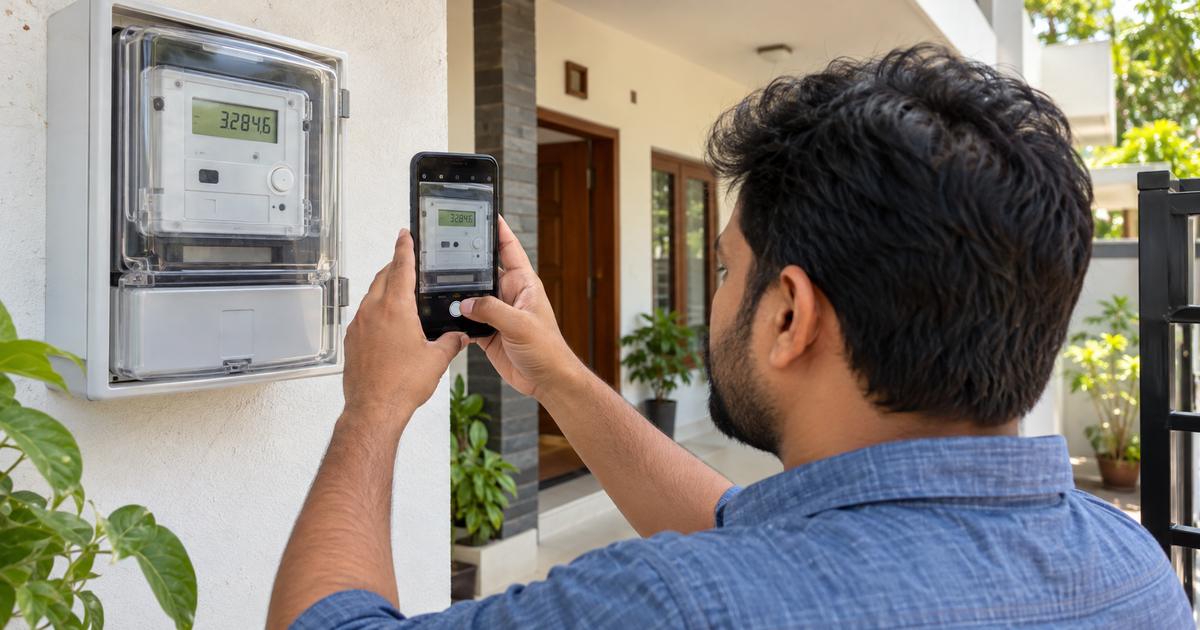
To learn how to check smart meter reading, find the cumulative energy figure marked kWh or the relevant import-energy register on your meter, then compare it with an earlier reading from the same register. The difference is the electricity used during that period. Many smart meters also let you check daily usage in an official electricity company app.
A digital screen can display several numbers, including time, voltage, demand, and energy. This guide helps you identify the right figure, calculate units, and understand when the meter display and your electricity bill may not match.
How to Check Smart Meter Reading Correctly
A smart meter is an electronic electricity meter that can record usage and share information with the electricity distribution company (DISCOM). In India, smart meter models and screen labels vary, so there is no single button sequence that works everywhere. Some meters cycle automatically through readings, while others use a display button.
The National Smart Grid Mission describes smart-grid features such as energy-use tracking and information through apps and web portals. Your local DISCOM remains the best source for instructions specific to your meter model.
1. Locate the electricity meter safely
Most household meters are installed near the main electrical entry point, inside a panel, or in a building’s common metering area. Look for a digital screen showing numbers and units. If the display is behind a transparent sealed cover, read it through the cover without trying to open the enclosure.
Never remove a seal, expose wiring, or press controls that you have not been instructed to use. If a meter is inside a locked utility cabinet or at an unsafe height, use the utility app or ask an authorized employee to help. Reading a meter should not involve contact with electrical terminals.
2. Look for kWh or the active-energy import register
For many residential connections, billed electrical energy is expressed in kWh, or kilowatt-hours. One kWh equals one unit of electricity. On a digital meter, you may see the unit kWh beside a cumulative number. You may also see an import or delivered-energy label.
Some meter models show several energy registers. A solar installation may have separate import and export readings. Some tariffs or consumer types use kVAh or time-of-day registers. Identify the register shown in your official bill and meter manual before subtracting two numbers.
3. Understand the difference between kW and kWh
kW is a measurement of power at a point in time. kWh measures energy used over time. If a device draws 1 kW for one hour, it consumes 1 kWh. The meter’s momentary load display may change quickly as appliances turn on and off, but that is not the same as your accumulated monthly units.
For example, a screen showing 2.4 kW tells you that the current power draw is roughly 2.4 kilowatts. Another screen showing 12,718 kWh could represent an accumulated energy register. Mixing these values will produce an incorrect bill estimate. Read the label beside the number.
4. Take and save a dated meter reading
Write down the exact value or take a clear photo. Record the date and approximate time as well as the unit label, especially if the screen cycles. If the meter shows decimal digits, record them as displayed; do not invent a rounding rule. Your bill may use whole units or follow another convention.
Take the next reading from the same register. Consistency is important: comparing today’s import kWh with last week’s export kWh does not show household consumption. If your meter automatically scrolls through values, wait for the correct register to reappear instead of guessing from an unfamiliar code.
5. Calculate units used between two readings
The simplest formula is units consumed = current cumulative reading − previous cumulative reading, provided both readings refer to the same energy register and there was no reset or meter replacement. For example, if an earlier import reading is 12,540 kWh and the later reading is 12,718 kWh, the difference is 178 kWh.
That is 178 electricity units for the chosen interval. If the readings were 30 days apart, average daily use would be 178 ÷ 30, or about 5.93 units. The amount payable still depends on the applicable tariff, fixed charges, duties, subsidies, and other adjustments.
6. Check daily or hourly data in the utility app
Open the official app or customer portal listed on your DISCOM bill. Sign in to the correct consumer account and look for usage history, daily consumption, load profile, or meter readings. Some providers display hourly charts; others offer only daily or periodic information.
Write down when the latest data was updated. Smart-meter communication can be delayed, and an app chart may not include the most recent interval. Comparing a physical meter reading taken now with yesterday’s reported app value can create a false mismatch.
7. Compare the register with your electricity statement
On a postpaid bill, look for previous reading, current reading, meter multiplier if applicable, billed units, and reading dates. A domestic account typically makes a straightforward comparison, but estimated readings or meter-change adjustments can complicate it. Use official bill values rather than assuming the physical screen is the only billing input.
On a prepaid account, the wallet balance is a monetary amount and should not be subtracted from kWh readings. Instead, compare energy consumption figures from the app with the meter’s cumulative energy register and then separately inspect the charge ledger.
Common meter screen labels and what they mean
| Display term | Typical meaning |
|---|---|
| kWh | Energy recorded in kilowatt-hours |
| kW | Power or demand, often current or recorded maximum |
| V | Voltage |
| A | Current in amperes |
| kVAh | Apparent energy, used in some billing arrangements |
| Import / Export | Energy received from / sent to the grid, depending on meter configuration |
These labels are guides, not a universal screen map. The Internationally used register codes and local display configuration can differ, particularly on multiphase and solar-connected meters. Ask the DISCOM for the exact code list for your meter if the label is unclear.
What changes when a meter is replaced?
When a meter is changed, the old device’s final cumulative reading and the replacement’s opening reading need to be considered separately. Simply subtracting today’s new-meter value from an old photograph can create nonsense because the device’s energy register has changed.
Save the meter replacement record, including meter numbers, dates, and recorded readings. If billing seems incorrect afterward, ask the DISCOM for a reconciliation that connects old and new readings to the billed units. A photographed installation report can be useful evidence.
What if the meter reading looks too high?
First confirm you have selected the correct register. Next compare the current value with a dated older reading and calculate daily average units. A cumulative reading such as 15,000 kWh is not necessarily one month’s consumption; it may represent energy counted since the meter began recording.
If units rose substantially, examine use of air conditioning, water heaters, pumps, or other high-power equipment. You can estimate device consumption with the site’s power consumption calculator, but the actual meter reading remains the key usage record.
When should you report a suspicious reading?
Contact the utility when a register appears inconsistent with the bill, readings move unexpectedly, or a meter replacement cannot be reconciled. Present dated photographs, meter number, consumer number, and the disputed bill. Ask for a reading explanation or a formal accuracy review rather than trying to test a sealed device yourself.
The Ministry of Power’s 2024 consumer-rights update discusses check-meter provisions in response to consumption-related complaints. Your provider and state regulator set the practical complaint steps and applicable terms.
Build a simple reading habit
Take a photo of the same kWh register once a week, ideally at approximately the same time. Track units per day in a notebook or spreadsheet. After several weeks, you will have a normal range for your home that can help you notice meaningful increases.
Do not become concerned over minor differences between a live display and a delayed app refresh. Instead, compare readings from matching registers and matching dates. Reliable notes make it easier to estimate an electricity bill and challenge a genuine error.
FAQs About Checking Smart Meter Readings
Q. Which smart meter reading should I use for my bill?
A. Use the energy register specified by your bill or DISCOM, usually the relevant import kWh value for a standard domestic account. Other connections may be billed differently.
Q. Is a smart meter balance the same as the unit reading?
A. No. Prepaid balance is money available in the account, while the energy register records kWh or another relevant energy quantity.
Q. Why does the digital screen keep changing?
A. Many meters automatically cycle through readings such as energy, power, voltage, and date. Wait for the correct label before recording its number.
Q. Can I read the meter without internet access?
A. A readable local display may show values without an app connection. The exact controls and accessible registers depend on your meter model.
Conclusion
Learning how to check smart meter reading starts with finding the correct energy register, saving two dated readings, and subtracting them to calculate units. Compare those units with your DISCOM bill or app, and request clarification when the records do not match.
Disclaimer
This guide is general educational information. Smart-meter screen codes, billing registers, and reading procedures differ by model, state, and DISCOM. Follow your utility’s official instructions and electrical safety guidance.